Giving a bonus is probably the easiest thing you’ll do at work today. Let’s walk through a quick example:
My colleague Sumit stayed late last night to help me fix a bug in my code. Without his help, I might not have solved it. I want to recognize that big contribution he just made by giving him 10 points.
Indicate The Reason
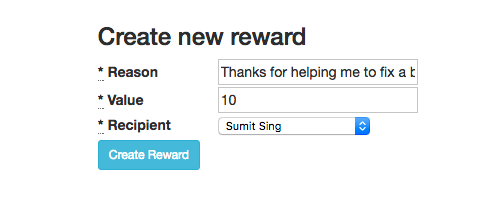
I’ll begin by entering the “Reason” I’m giving John this bonus:
Indicate The Value
Next, I’ll click the “Value” box and I will enter the number of points I want to give him:
Indicate The Person
Next, I’ll click the “Recipient” box and select Sumit from the dropdown:
That’s it! I’ve just given Sumit points and recognized his hard work to help me out.